
InfoSec / Cyber

"A graphic announcing 'October is Cyber Security Awareness Month,' with text explaining the importance of creating a cyber emergency contact list in preparation for a cyber attack. It also includes a 'Cyber tip' to assess passwords, turn on MFA, and review critical accounts, especially email. A shield icon with a checkmark and a lightbulb icon are visible."

October 25. Server Security: Protecting Your Digital Core

For most organisations, servers are the undisputed backbone of their IT infrastructure. They house critical applications, store vast amounts of sensitive data (customer information, intellectual property, financial records), and power essential services. Consequently, servers are prime targets for cyber attackers, making robust server security an absolute necessity, not an option. A compromise of even one critical server can bring an entire operation to its knees.

Read more …

"A graphic announcing 'October is Cyber Security Awareness Month,' with text explaining the importance of creating a cyber emergency contact list in preparation for a cyber attack. It also includes a 'Cyber tip' to assess passwords, turn on MFA, and review critical accounts, especially email. A shield icon with a checkmark and a lightbulb icon are visible."

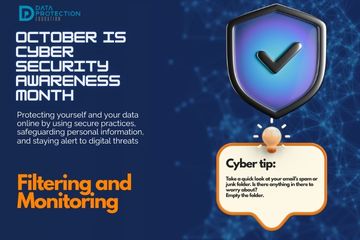
October 23. Filtering and Monitoring

In cybersecurity, filtering and monitoring are proactive measures that act as your digital watchdogs, guarding against threats by controlling what comes in and out of your networks and systems, and by continuously observing activity for suspicious signs. These practices are essential for early threat detection and prevention.

Read more …

"A graphic announcing 'October is Cyber Security Awareness Month,' with text explaining the importance of creating a cyber emergency contact list in preparation for a cyber attack. It also includes a 'Cyber tip' to assess passwords, turn on MFA, and review critical accounts, especially email. A shield icon with a checkmark and a lightbulb icon are visible."

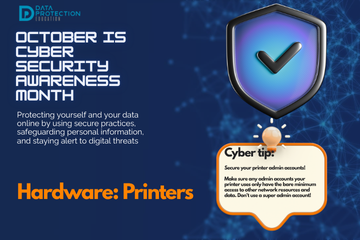
October 22. Hardware: Printers

Printers are often overlooked, however, they can represent significant security vulnerabilities if not properly secured.  Modern printers are essentially specialised computers with network connections, storage capabilities, and their own operating systems, making them potential targets for cybercriminals.

Read more …

"A graphic announcing 'October is Cyber Security Awareness Month,' with text explaining the importance of creating a cyber emergency contact list in preparation for a cyber attack. It also includes a 'Cyber tip' to assess passwords, turn on MFA, and review critical accounts, especially email. A shield icon with a checkmark and a lightbulb icon are visible."

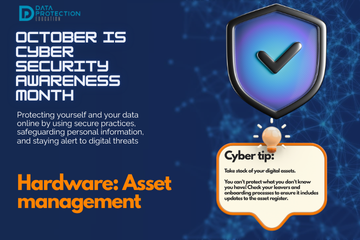
October 21. Hardware: Asset Management

In any organisation, and even for individuals with multiple devices, simply knowing what hardware and software you own is the foundational step for effective cybersecurity. This practice is known as asset management, and it's far more than just an inventory list; it's a critical component of risk management and security posture. You cannot protect what you do not know you have, or what state it's in.

Read more …

"A graphic announcing 'October is Cyber Security Awareness Month,' with text explaining the importance of creating a cyber emergency contact list in preparation for a cyber attack. It also includes a 'Cyber tip' to assess passwords, turn on MFA, and review critical accounts, especially email. A shield icon with a checkmark and a lightbulb icon are visible."

October 20. Hardware: Safe disposal

When upgrading your tech or getting rid of old devices, simply deleting files or formatting a hard drive is often not enough to truly erase your data. Safe disposal of hardware is a critical, yet frequently overlooked, aspect of cybersecurity. If sensitive personal or organisational information remains recoverable on old devices, it can easily fall into the wrong hands, leading to identity theft, financial fraud, or severe data breaches.

Read more …

"A graphic announcing 'October is Cyber Security Awareness Month,' with text explaining the importance of creating a cyber emergency contact list in preparation for a cyber attack. It also includes a 'Cyber tip' to assess passwords, turn on MFA, and review critical accounts, especially email. A shield icon with a checkmark and a lightbulb icon are visible."

October 19. Anti-virus/anti-malware

Anti-virus and anti-malware are essential tools that are designed to detect, prevent, and remove malicious software – collectively known as malware – that can infect your devices, compromise your data, and disrupt your operations. Just like your body needs an immune system to fight off infections, your digital devices need protection against cyber threats.

Read more …

"A graphic announcing 'October is Cyber Security Awareness Month,' with text explaining the importance of creating a cyber emergency contact list in preparation for a cyber attack. It also includes a 'Cyber tip' to assess passwords, turn on MFA, and review critical accounts, especially email. A shield icon with a checkmark and a lightbulb icon are visible."

October 18. Regular Updates: Patching Against Threats

In the fast-evolving world of cybersecurity, software, operating systems, and applications are constantly being refined, improved, and, crucially, secured. Regular updates, also known as patching, are not merely about gaining new features or improving performance; they are an absolutely critical cybersecurity practice. Neglecting updates is like leaving your digital doors wide open after a burglar has already identified the weak spots.

Read more …

"A graphic announcing 'October is Cyber Security Awareness Month,' with text explaining the importance of creating a cyber emergency contact list in preparation for a cyber attack. It also includes a 'Cyber tip' to assess passwords, turn on MFA, and review critical accounts, especially email. A shield icon with a checkmark and a lightbulb icon are visible."

October 17. Access Control: Managing User Privileges

In cybersecurity, access control for users is about ensuring that only authorised individuals can access specific systems, applications, and data, and only to the extent necessary for their role. This principle is often referred to as the "principle of least privilege"  – granting users the bare minimum permissions required to perform their job functions, and nothing more.

Read more …

  1. October 13. Cyber Security Awareness
  2. October 12. Training: Empowering your human firewall
  3. October 11. Policies and Procedures: Cyber Blueprint
  4. October 10. Understanding Your Cyber Posture
  5. Time's Ticking: Windows 10 support ends in October 2025!
  6. October 9. A Guide for Education Providers
  7. October 8. How Can Your Organisation Prevent Ransomware Attacks?
  8. October 7: Under Attack: The Reality of Ransomware
  9. October 6: Cyber Action Plan and A Roadmap to Resilience
  10. October 5: Cyber Responsibilities - We're All in This Together
  11. October 4: When a Cyber Attack Hits
  12. October 3: Data Security, the Core of Protection
  13. October 2: Privacy Protection & Safeguarding Personal Data
  14. October 1: Welcome to Cyber Security Awareness Month!
  15. Nursery Cyber attack
  16. The NCSC Cyber Assessment Framework
  17. The Classroom's Dark Side: Cyber crime from the Classroom
  18. The Latest Cyber Threat: The "Murky Panda"
  19. Holiday Cheer or Cyber Fear? : Essential Pre-holiday Checks
  20. Social engineering + impersonation = Fraud ≡ cyber deception
  21. School cyber attack: Framlingham College, Suffolk
  22. Getting caught in the Scattered Spider web
  23. A Wake-Up Call for Cyber Vigilance - Danger in the Threat Landscape for Everyone
  24. World Password Day
  25. Apple removes its highest level data security tool from UK customers
  26. The role of Passkeys in Cyber Resilience and Cyber Security
  27. Ransomware-Resistant Backups
  28. Effectively communicating during a cyber incident
  29. Safeguarding Identity in Microsoft 365: Protecting the UK Education Sector Against Cyber Threats
  30. How does the recent global IT outage affect me?
  31. King's speech introduces new bills in relation to cyber security, smart data and digital information
  32. What's a Cyber Incident and what should we do?
  33. Free short cyber training for staff
  34. Children's mental health data leaked after a cyber attack
  35. Cyber Incident Review: The Benefits
  36. Cyber attack on a University
  37. Kent Councils Data Breach
  38. Phishing attacks targeting schools - alert from City of London Police
  39. Update on Advisory for Rhysida Ransomware
  40. The Crime in a Cyber Attack and a Data Breach
  41. NCSC Annual Review is published for 2023
  42. Learning from Data Breaches
  43. Windows 11 security ineffective against attacks on old devices
  44. International Counter Ransomware Initiative 2023 Joint Statement
  45. Resistant Cloud Backups
  46. Top Ten Cyber Security Misconfigurations
  47. ICO Reprimand: company suffered a ransomware attack
  48. The UK Online Safety Bill becomes an Act (Law)
  49. The importance of software updates (PaperCut vulnerability and Rhysida ransomware)
  50. Ransomware, extortion and the cyber crime ecosystem
  51. Cyber Resource: The Cyber Resilience Centre Group
  52. Email and Security: ICO recent guidance
  53. What to do in the event of a Cyber Attack
  54. Cyber Crime: AI Generated Phishing Attacks
  55. Cyber Attack: Exam Boards
  56. VICE SOCIETY - Ransomware attacks on schools
  57. Be Cyber Aware: USB Sticks
  58. Cyber Insurance in the Public Sector
  59. Types of Cyber Attacks: DDos Attack (Microsoft DDoS Attack in June)
  60. Cyber Attack: Manchester University
  61. Cyber Attack: Leytonstone School
  62. Be Cyber Aware: Firewalls
  63. Be Cyber Aware: Cyber attacks and transparency. A no blame culture
  64. Cyber Attack: Dorchester School
  65. Types of Cyber Attacks: Password Attacks
  66. Be Cyber Aware: Why regular software updates are important
  67. Cyber Attack: Wiltshire School
  68. Keeping your IT systems safe and secure
  69. Why we recommend using PIN codes on printers
  70. Types of Cyber Attacks: DDoS Attacks
  71. Types of Cyber Attacks: Phishing
  72. Types of Cyber Attacks: The Insider Threat
  73. Why your data is profitable to cyber criminals
  74. Types of malware and how they are linked to data protection
  75. A guide to multi-factor authentication
  76. How a school fought back after a cyberattack
  77. Types of Cyber Attacks - Credential Stuffing
  78. January Cyber update - How Can Schools Help Prevent Cyber Attacks?
  79. The Education sector now at highest risk of cyber attacks
  80. Cyber Attacks
  81. Emails – good practice and minimising the risk of a data breach

Search